How to make a call
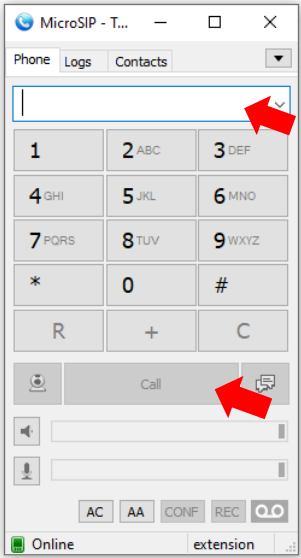
Click in the white box and type in the number or use mouse on the keypad to enter the number you want to call. Please remember to put in any prefix and please remember to use the fully telephone number including any area code, even for local calls – then click on ‘Call’. Your number will automatically be withheld.
How to transfer a call
The following example shows how to make an attended transfer of an ongoing call from “JP Loh” to the number 01306631888.
1. Dial the destination number. Once the second call is initiated, the party being transferred will automatically be placed on hold and hear hold music.
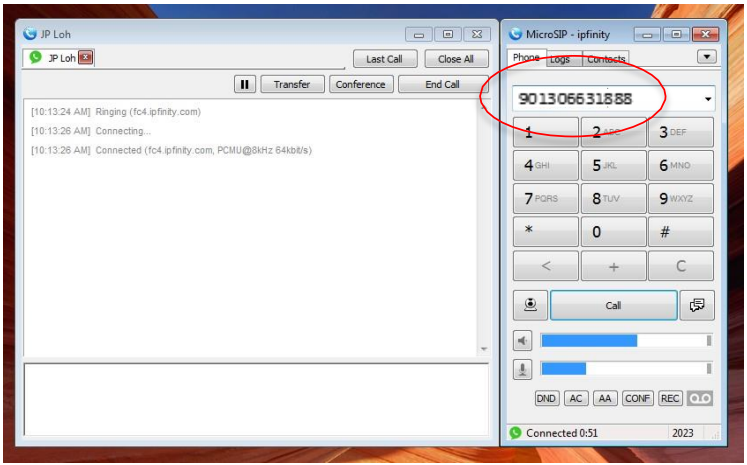
2. Wait for the receiving party to answer the call. Notice that the first call has been placed on hold with the icon changed to the pause icon.
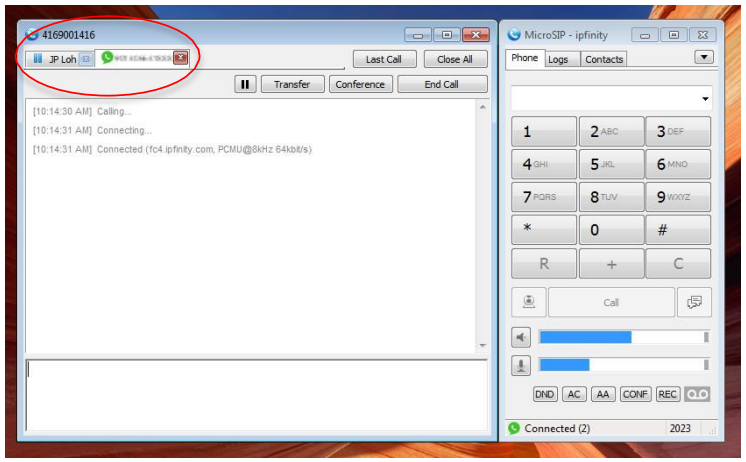
3. When ready to transfer, go to the call to be transferred then click on the Transfer button to open the transfer menu.
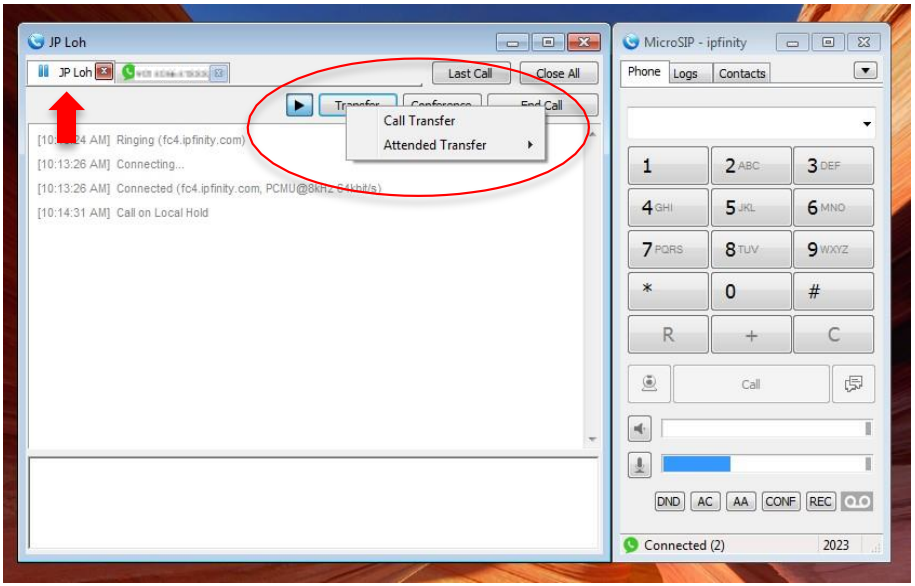
4. Hover your mouse over Attended Transfer and select the call of the receiving party.
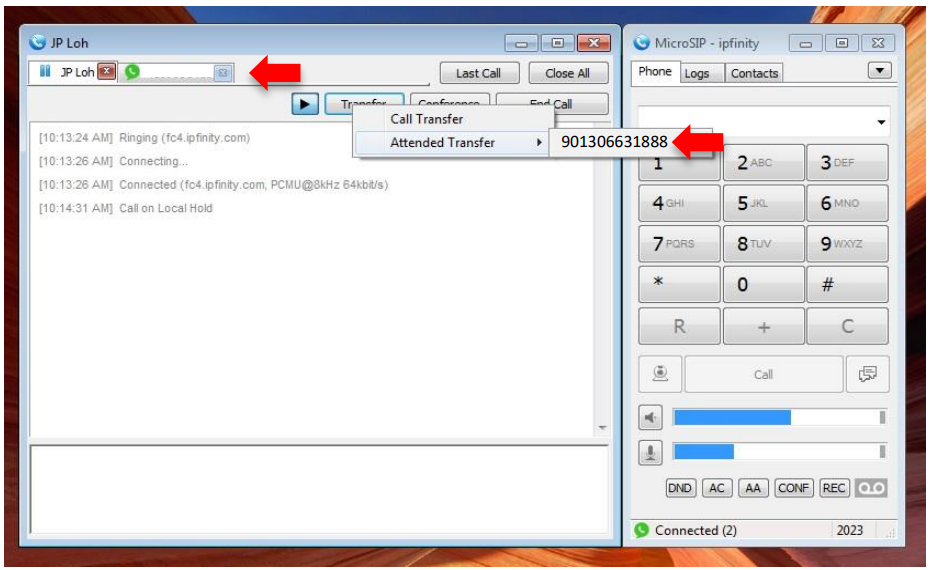
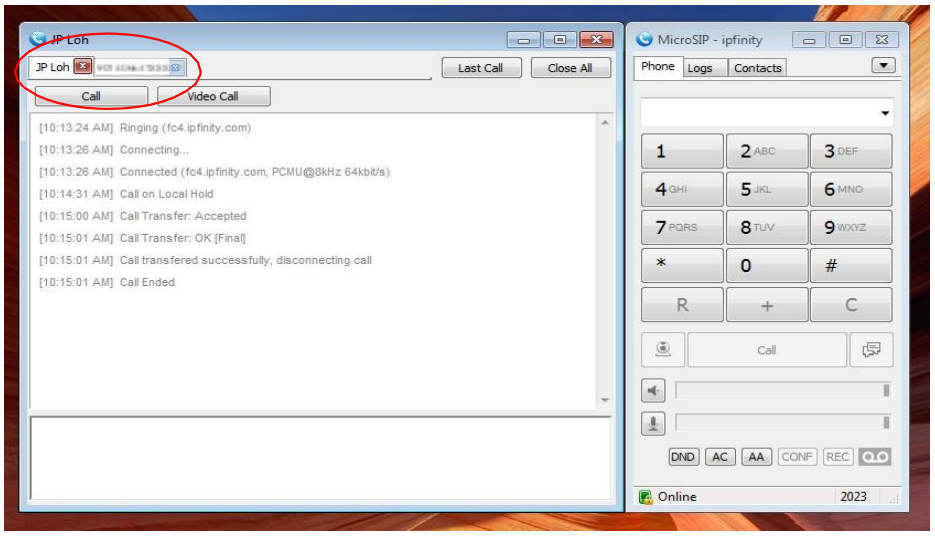
5. Once the call has been transferred, both calls will end. Each call's tab will remain.
How to make a conference call – example here of being on a call with 07967227657 and inviting 01306631888
1. During an active call, click on ‘Conference’
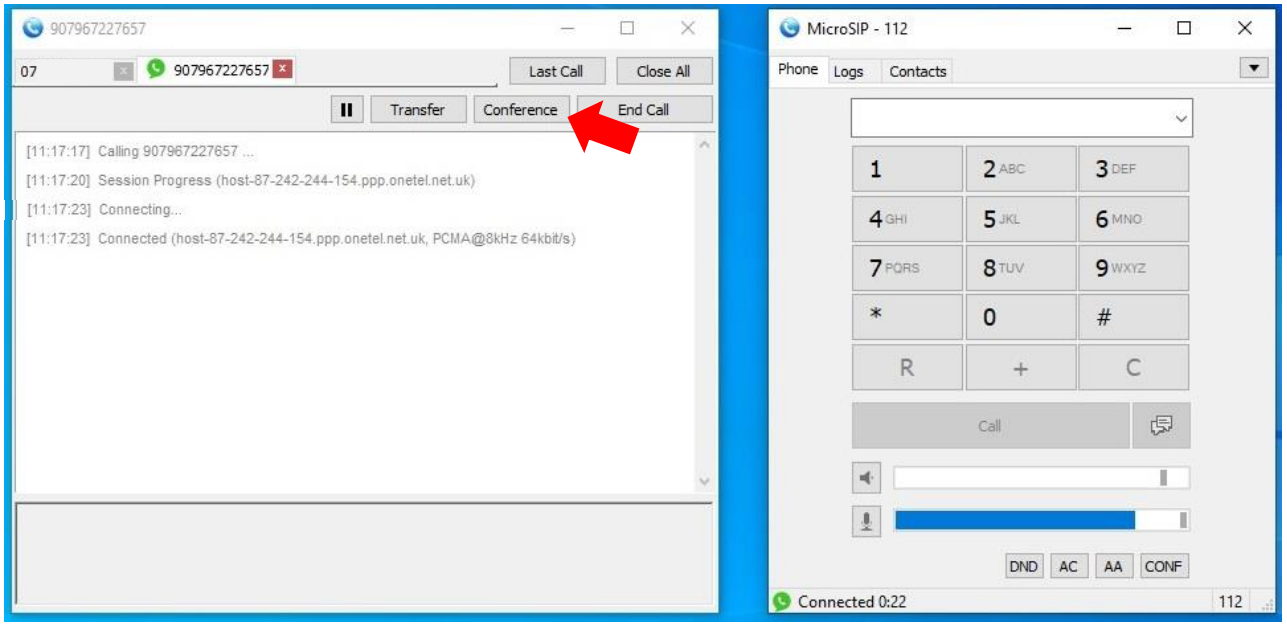
2. Click on ‘Invite to Conference’

3. Input number of caller you wish to invite to conference (remembering outside line and area code if external), click on OK to dial, and they will be added to the call.

Was this article helpful?
That’s Great!
Thank you for your feedback
Sorry! We couldn't be helpful
Thank you for your feedback
Feedback sent
We appreciate your effort and will try to fix the article